Net worth with history
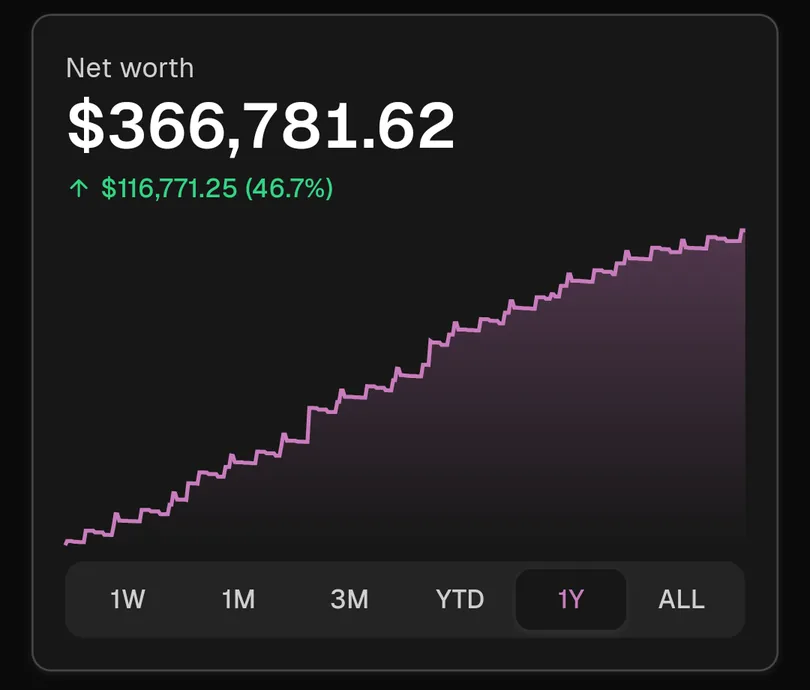
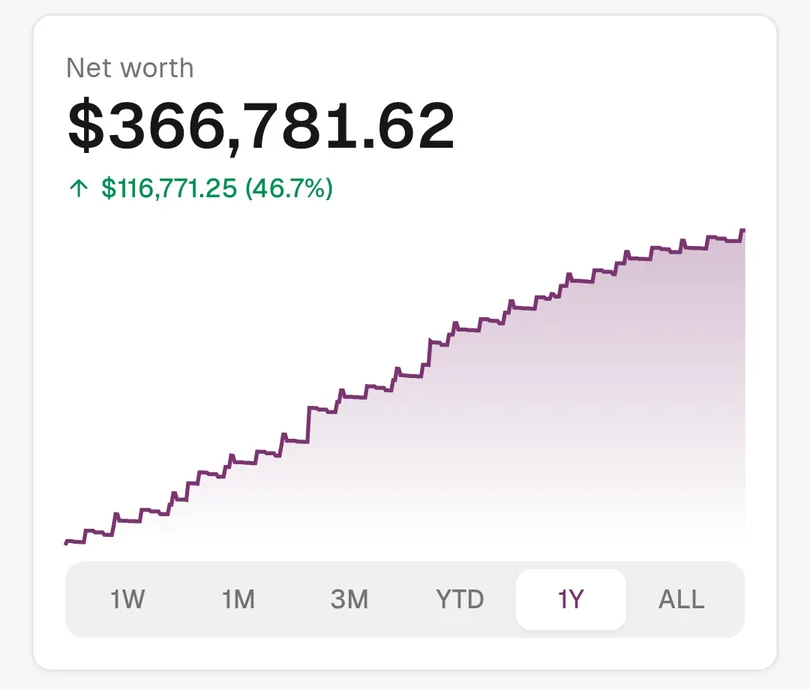
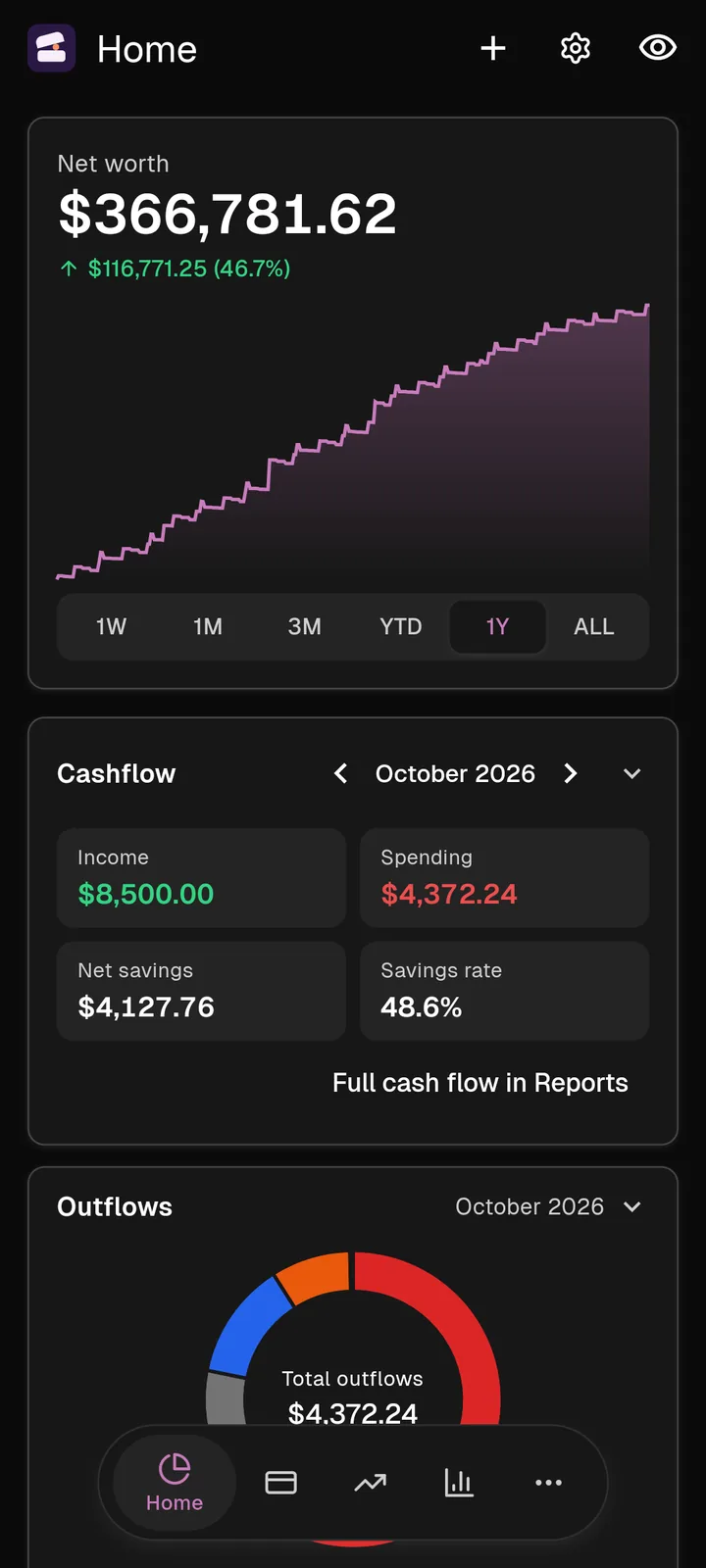
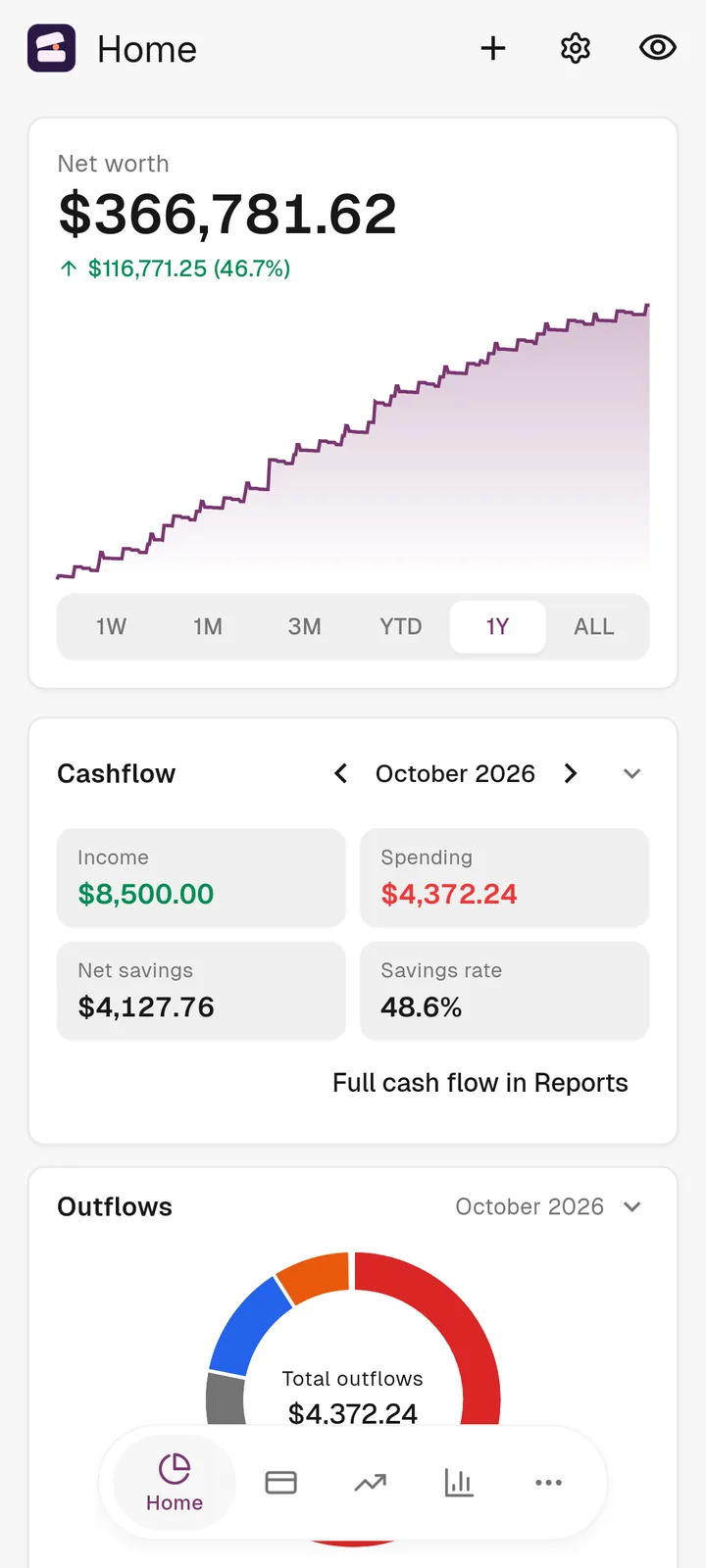
Every account, one graph. Switch from a week to all time.
 Koffer
Invite Only
Koffer is a personal finance app for Android and iOS with an AI assistant built in. It is private: there is no public sign-up, and you can only join with an invitation.
Net worth
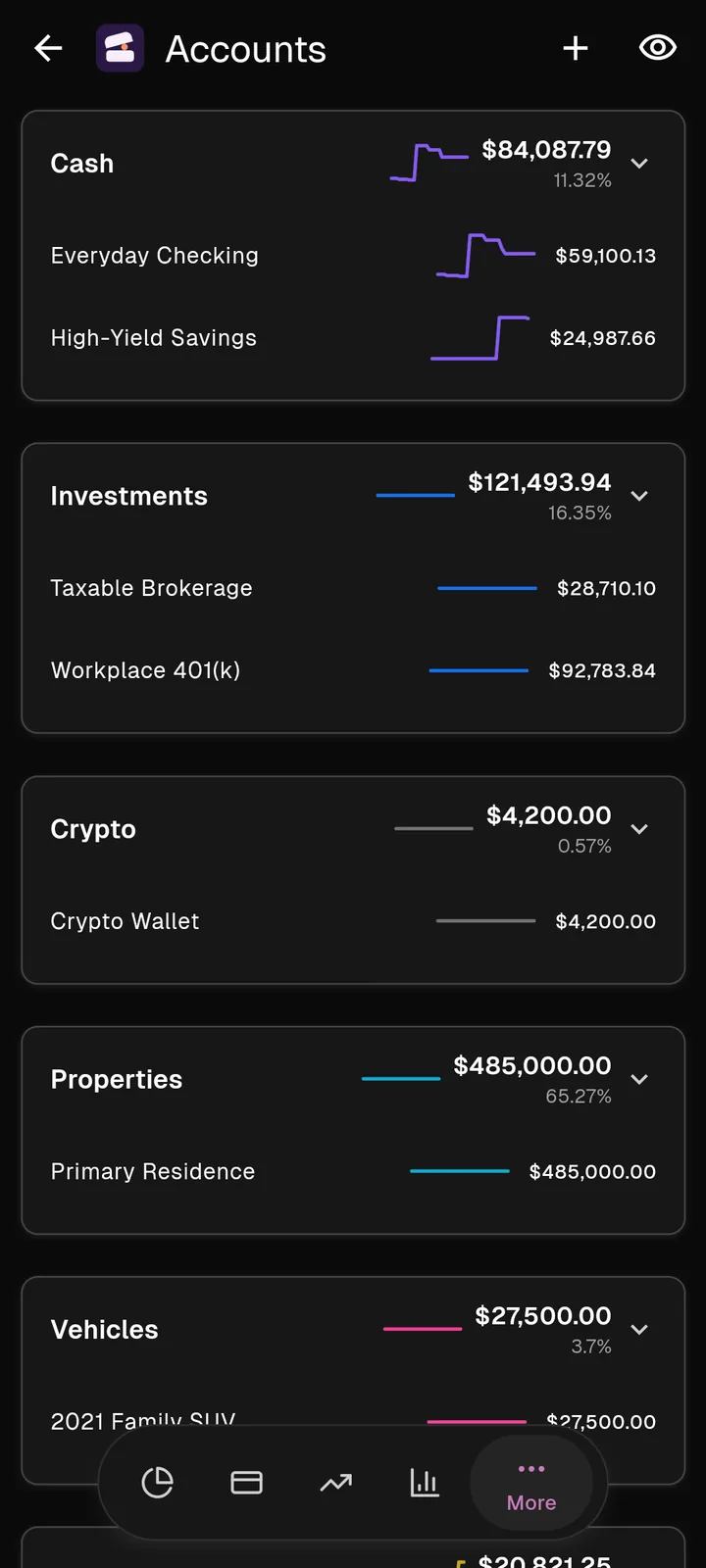
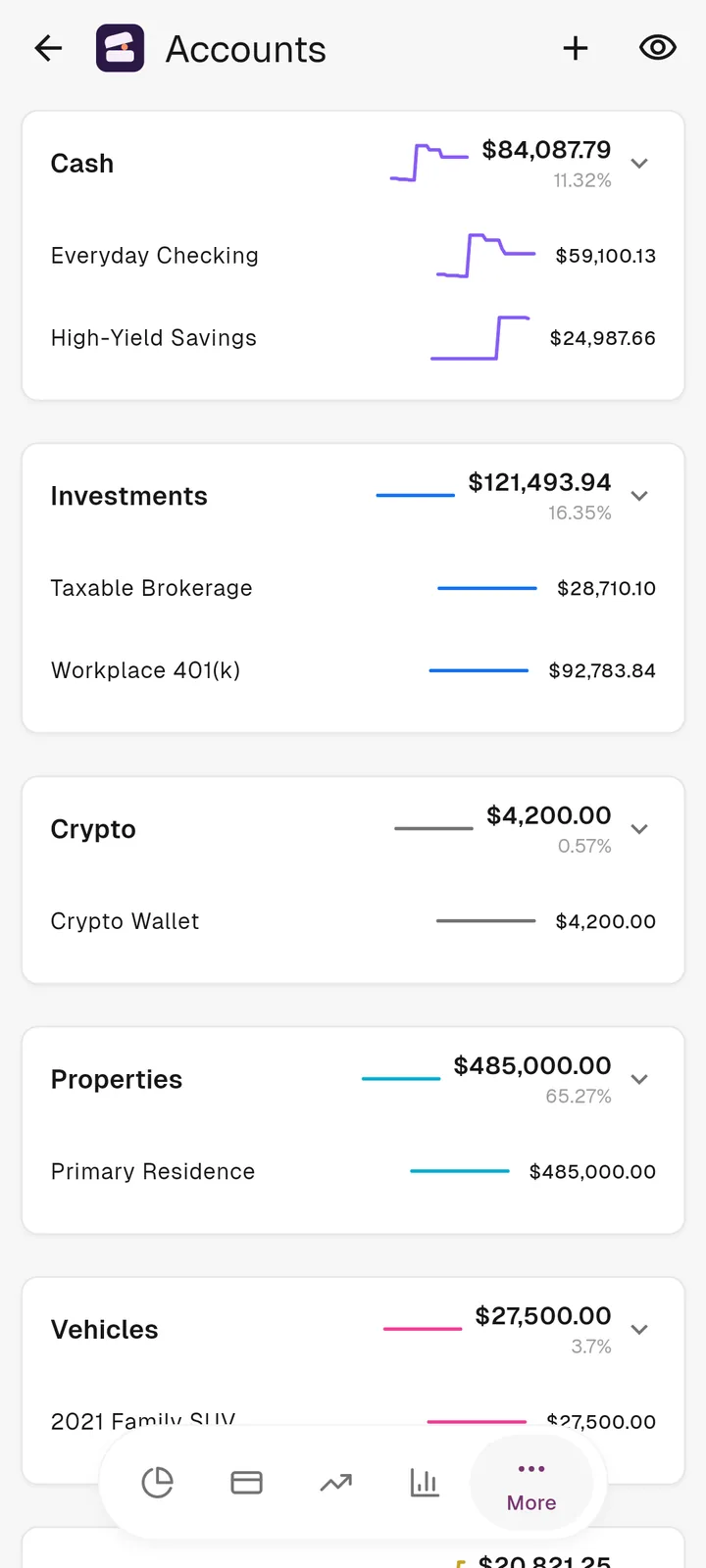
A net worth graph with its full history, built from every account you have. Your balance sheet is grouped the way you think about it: cash, investments, property, vehicles.
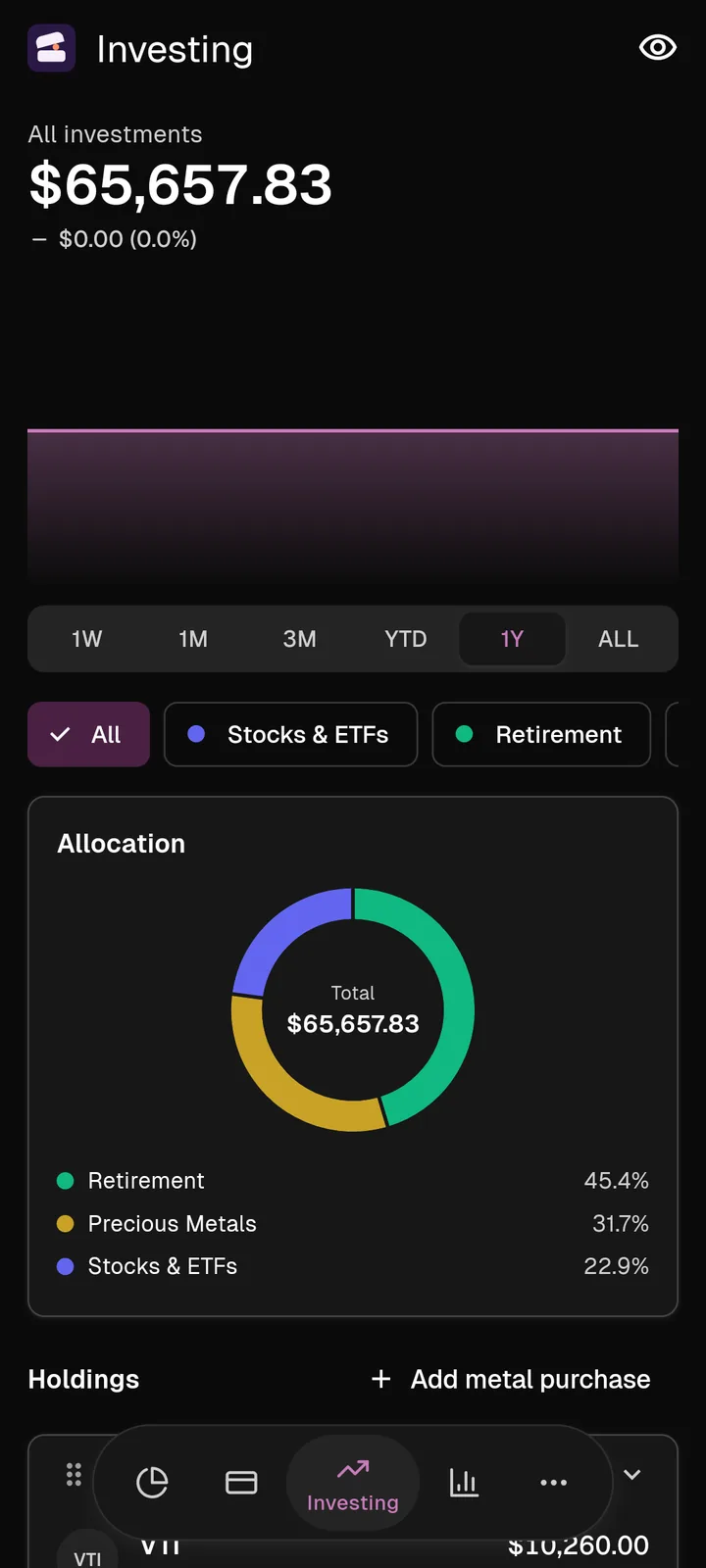
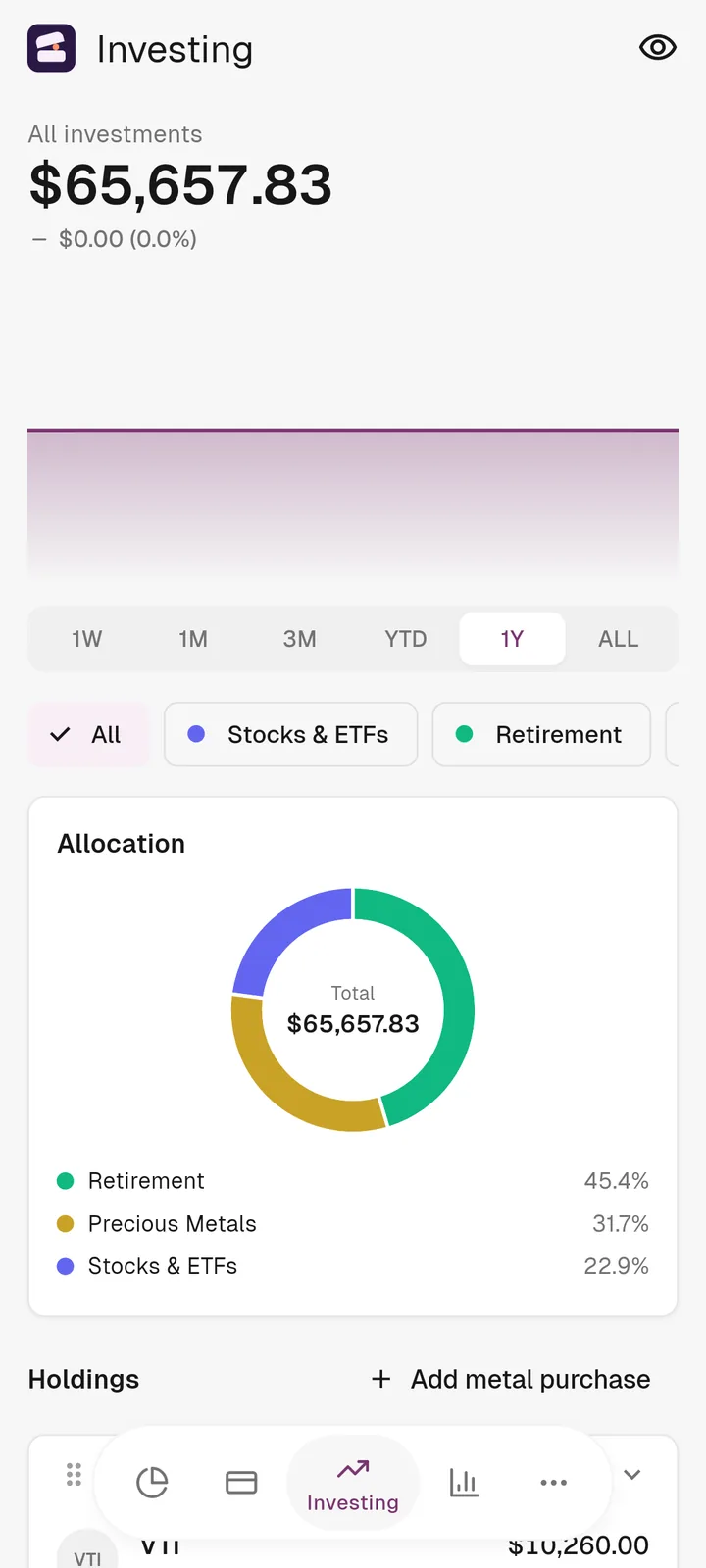
Investing
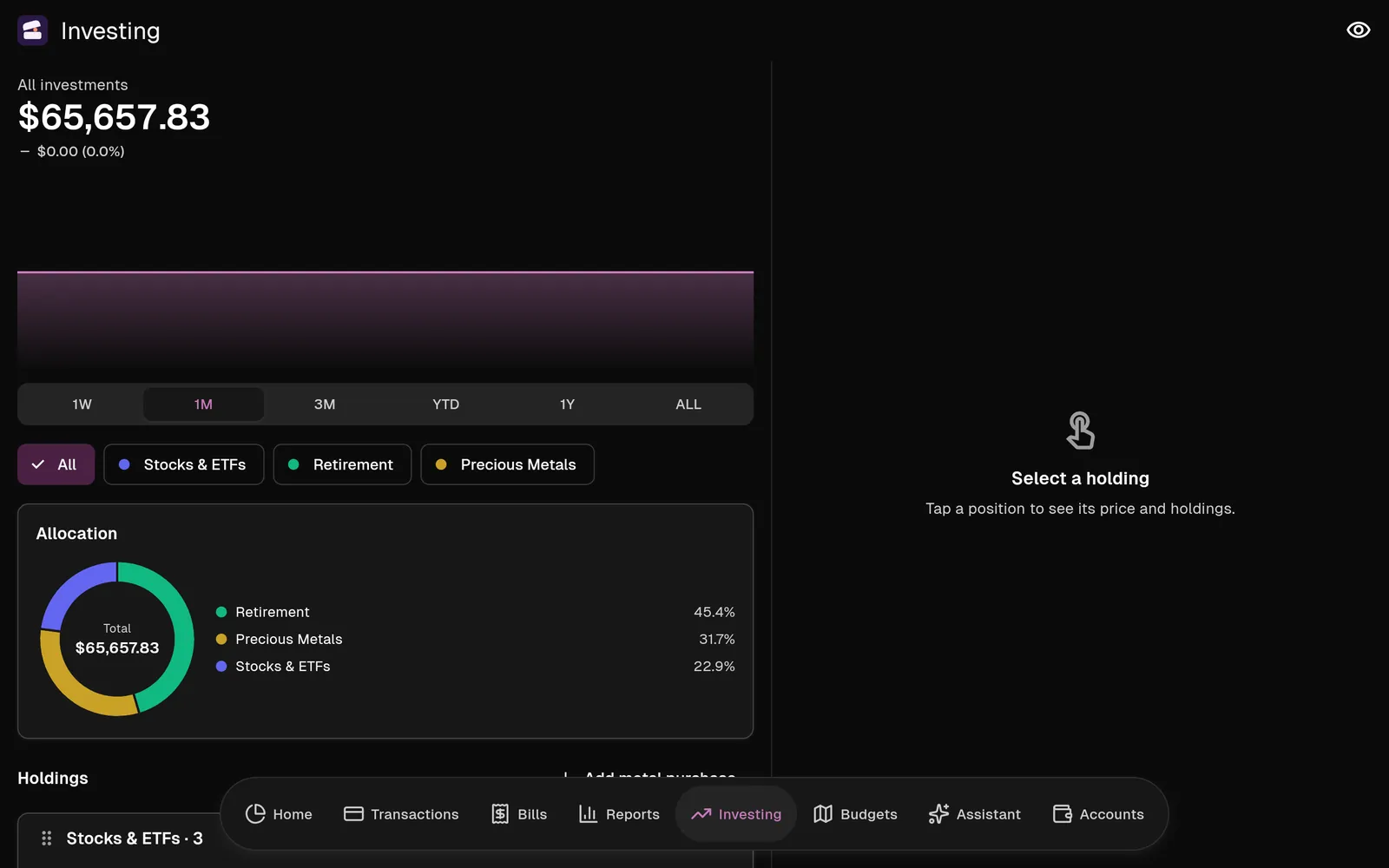
An allocation donut, a page for every holding and live prices. Gold, silver and platinum are tracked at spot, purchase by purchase.
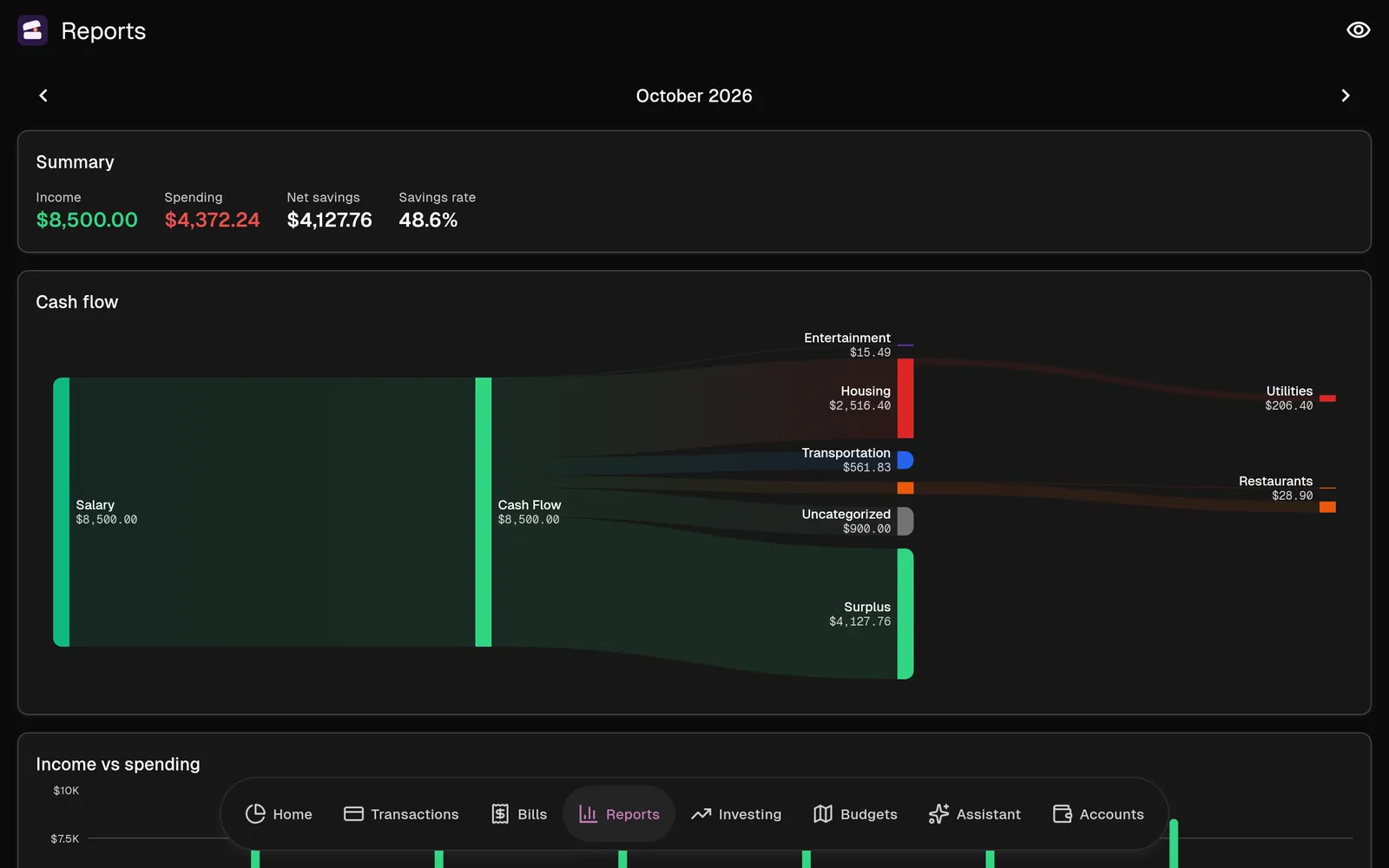
Reports
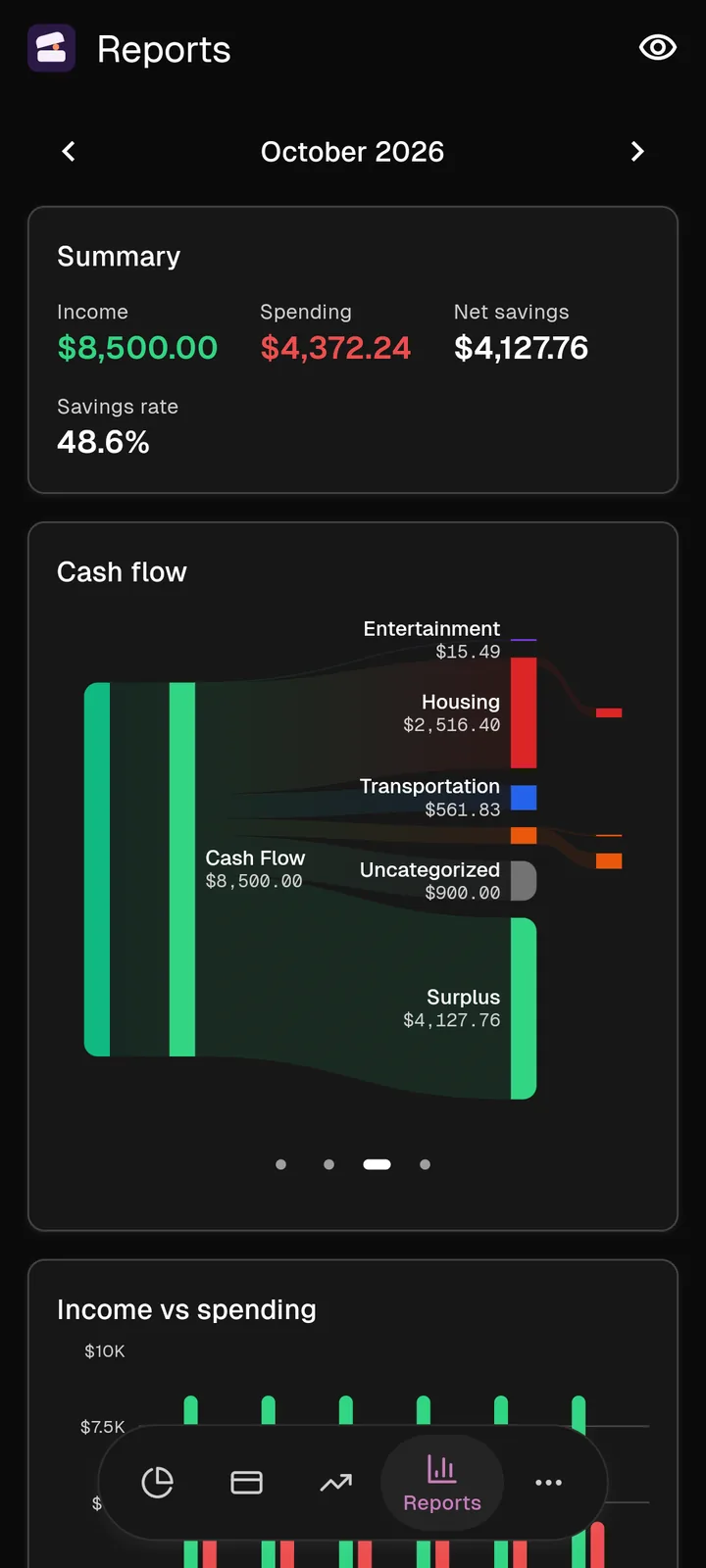
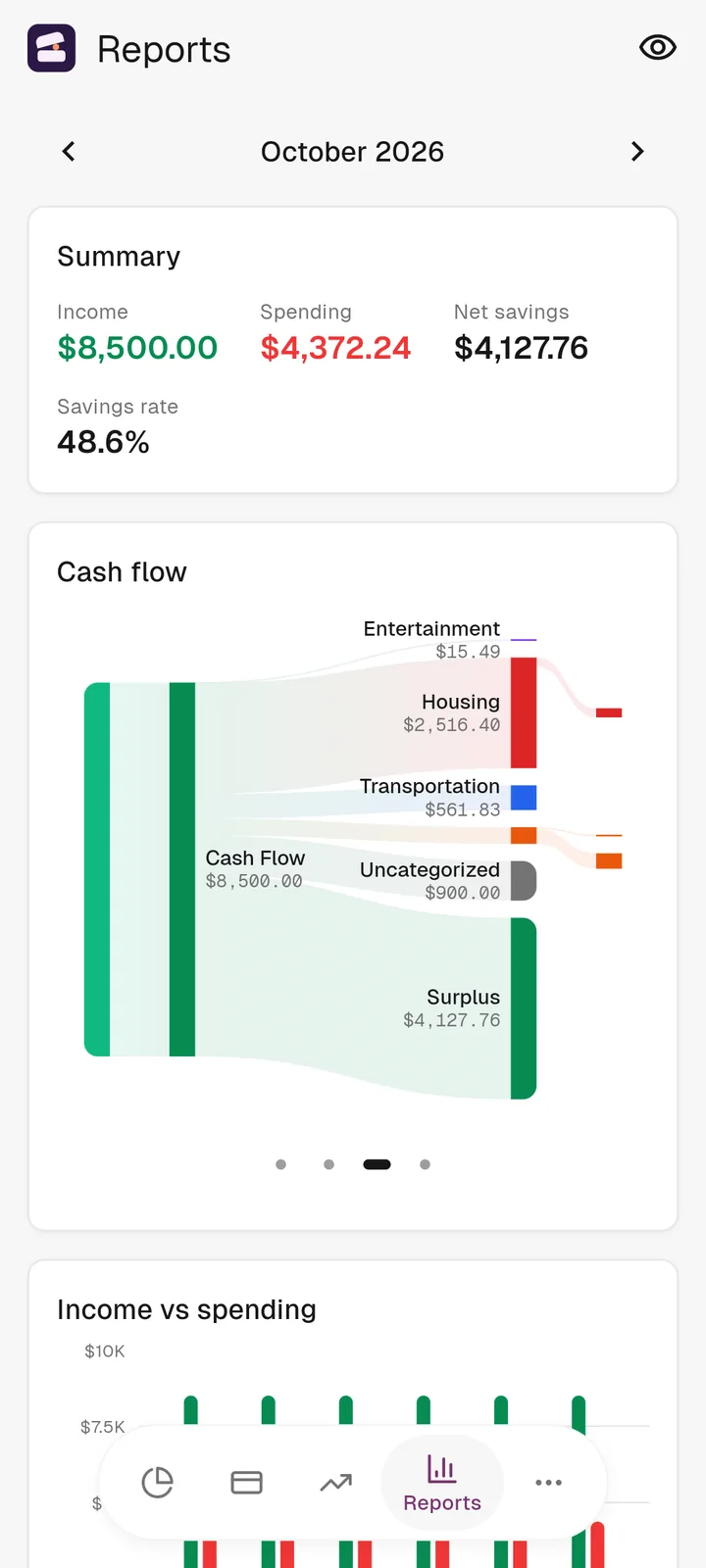
Income against spending, and a cash flow Sankey for each month. On a tablet, Koffer spreads out and gives it the room.
Every day
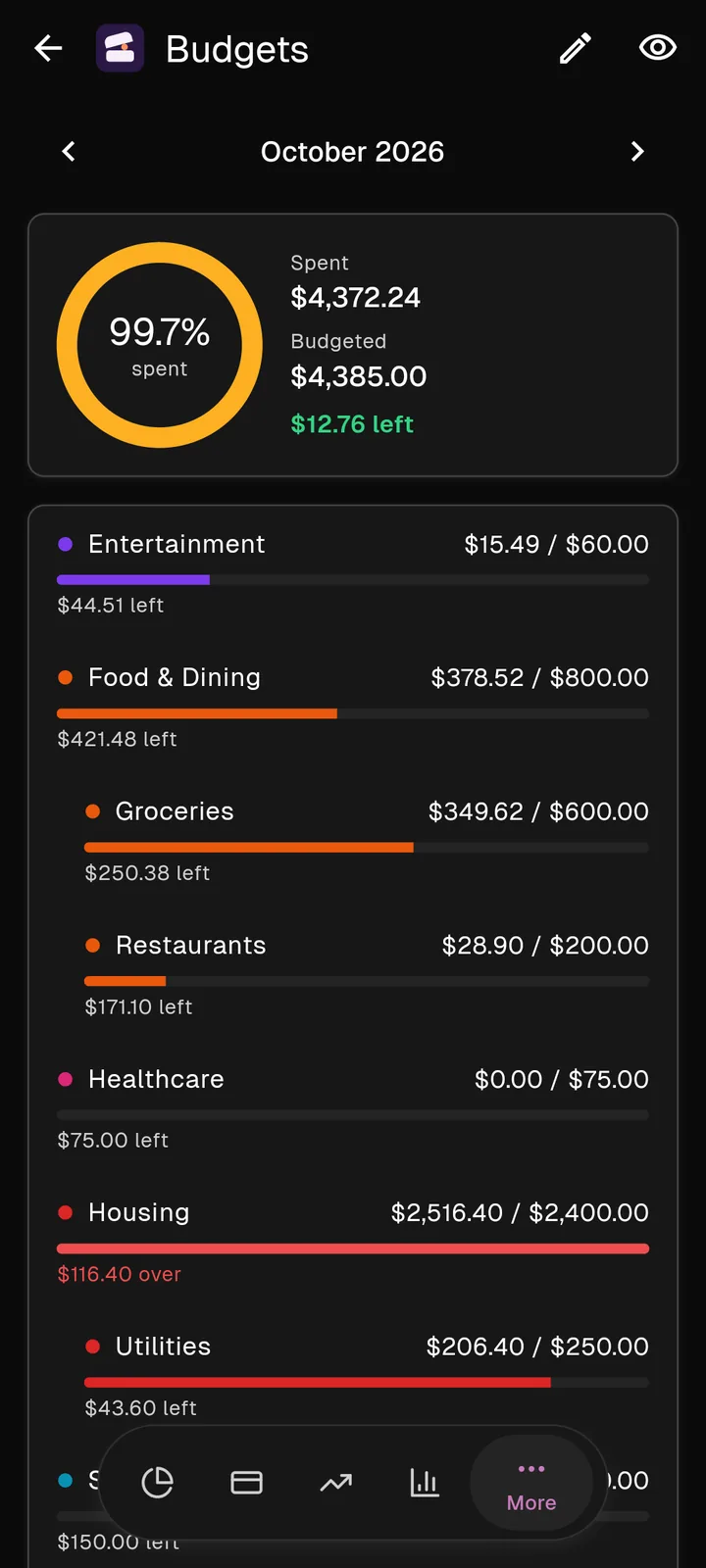
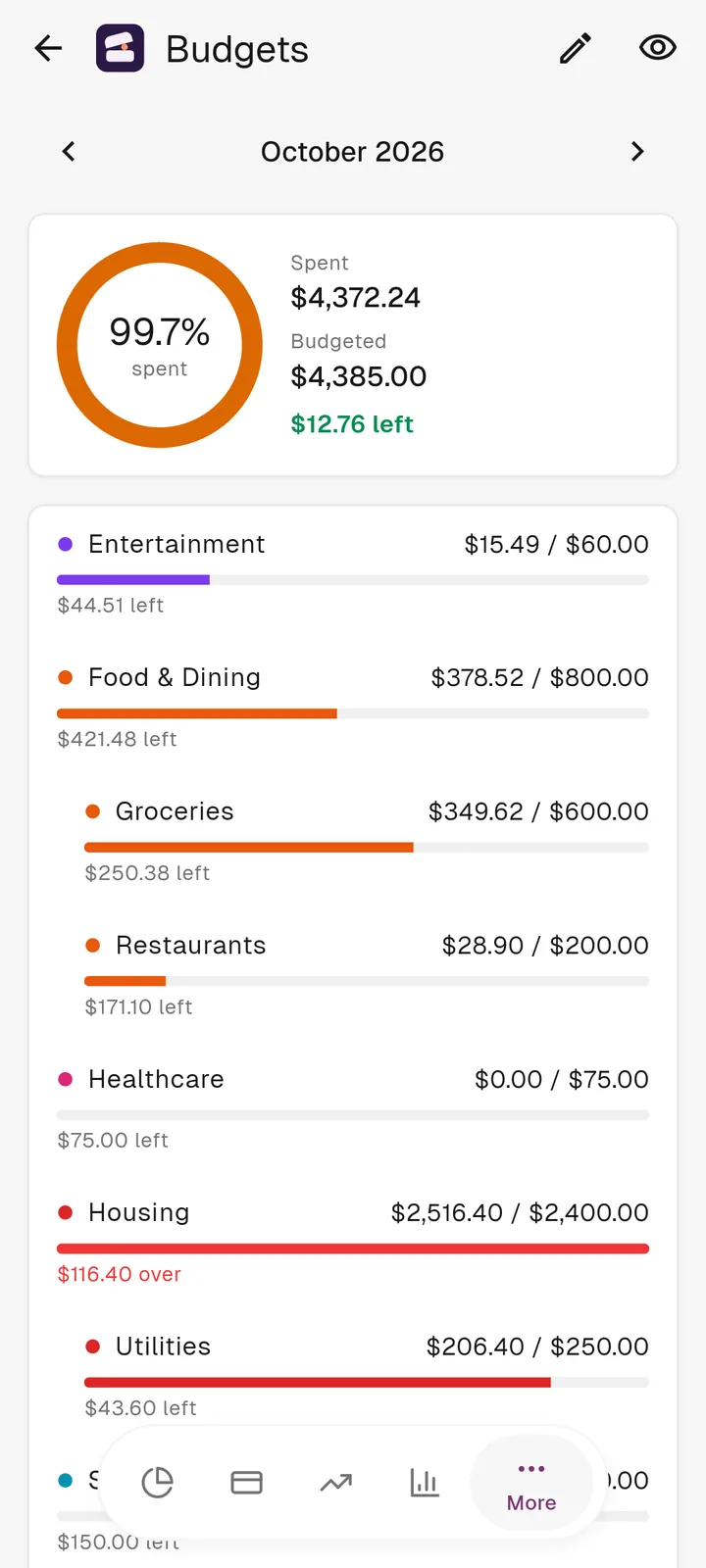
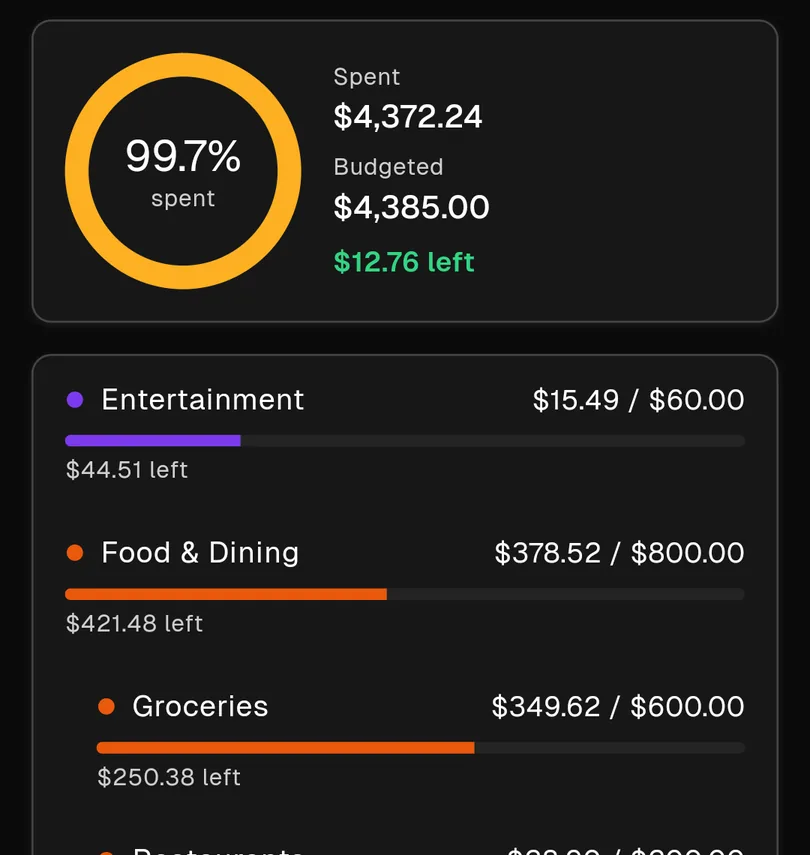
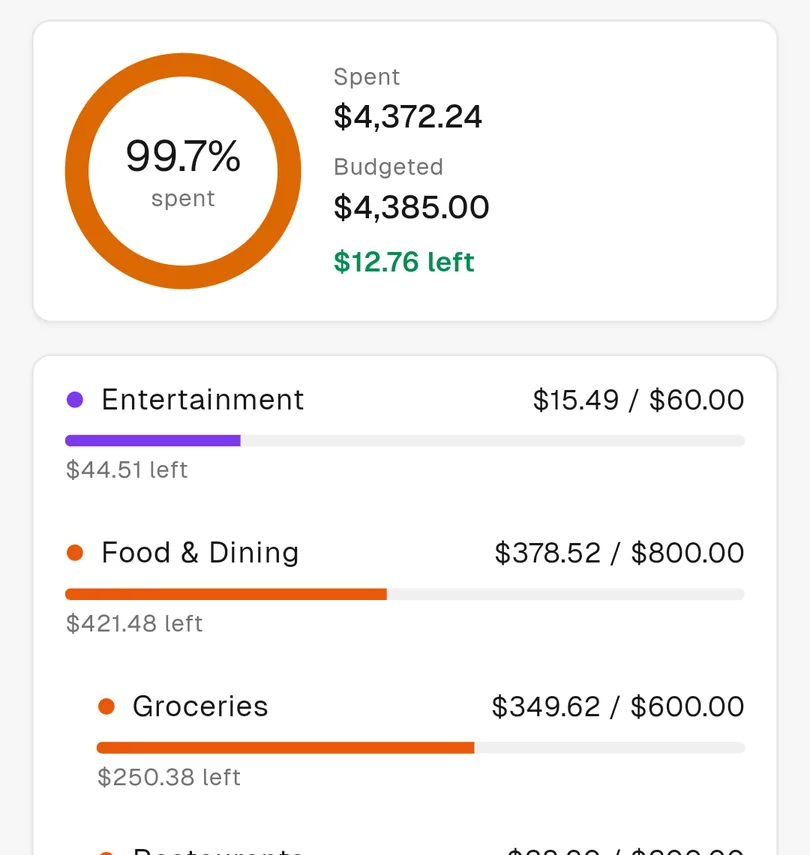
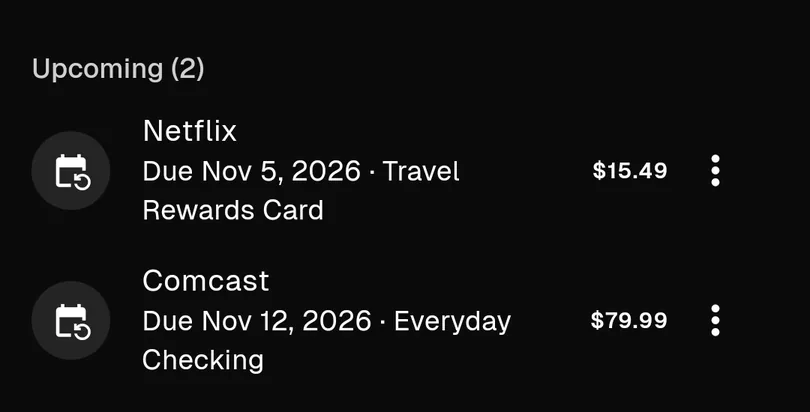
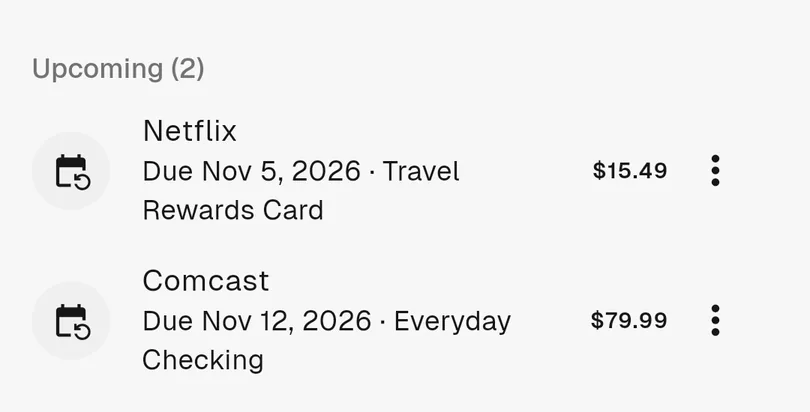
Transactions you can search and filter. Budgets that show what’s left. Bills that remind you before they’re due.
Private
Your finances stay private and encrypted, and only people who were invited can get in.
Cash flow
One picture of the month: what came in, where it went, and what was left. It’s the quickest way to see your money, and Koffer draws one for you in Reports.
Drawn from the same made-up demo month as the screenshots.
AI assistant
Koffer has an AI assistant that works from your own accounts, so its answers use your real balances, budgets and bills.
How much did I spend on food in October?
$378.52 on Food & Dining: $349.62 on groceries and $28.90 on restaurants. That leaves $421.48 of your $800 budget. Want to see it next to September?
Add a bill for Spotify, $11.99, due on the 20th.
Done. Spotify is on your bills for $11.99, due on the 20th of each month.
Inside
Every account, one graph. Switch from a week to all time.
Portfolios side by side, with a page for each holding.
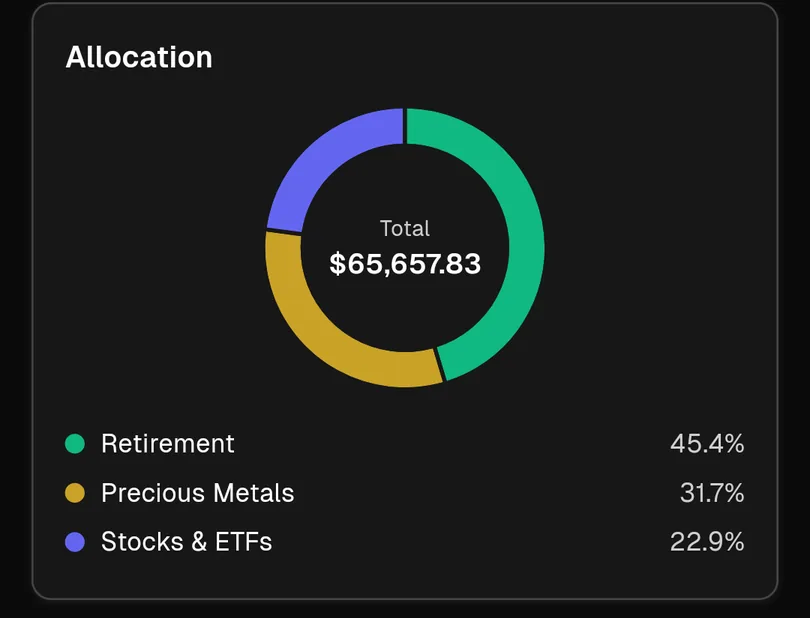
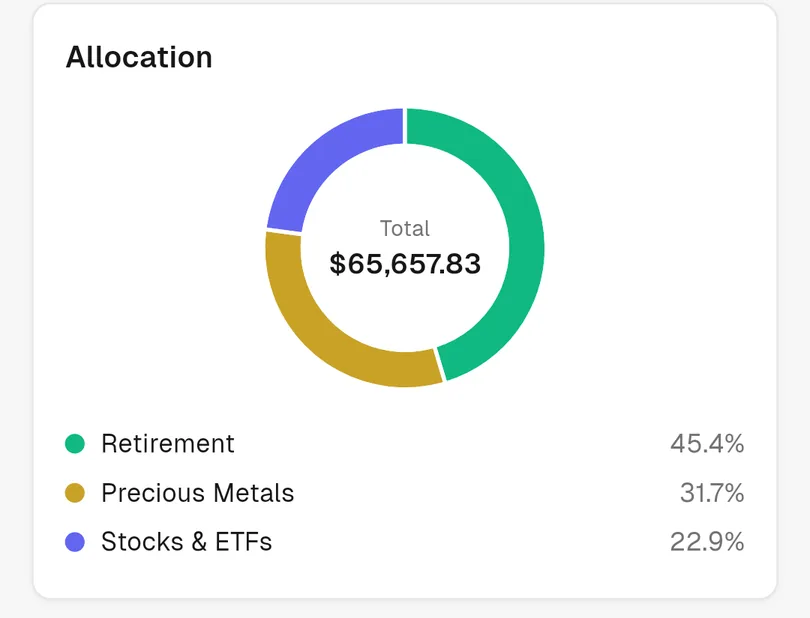
Log each purchase of gold, silver or platinum. Koffer values it at the spot price.
A ring for the month, a bar for each category.
What’s upcoming, overdue and paid.
Biometric or passcode lock, whenever the app opens.
Both themes, on phone and tablet layouts.
Screens
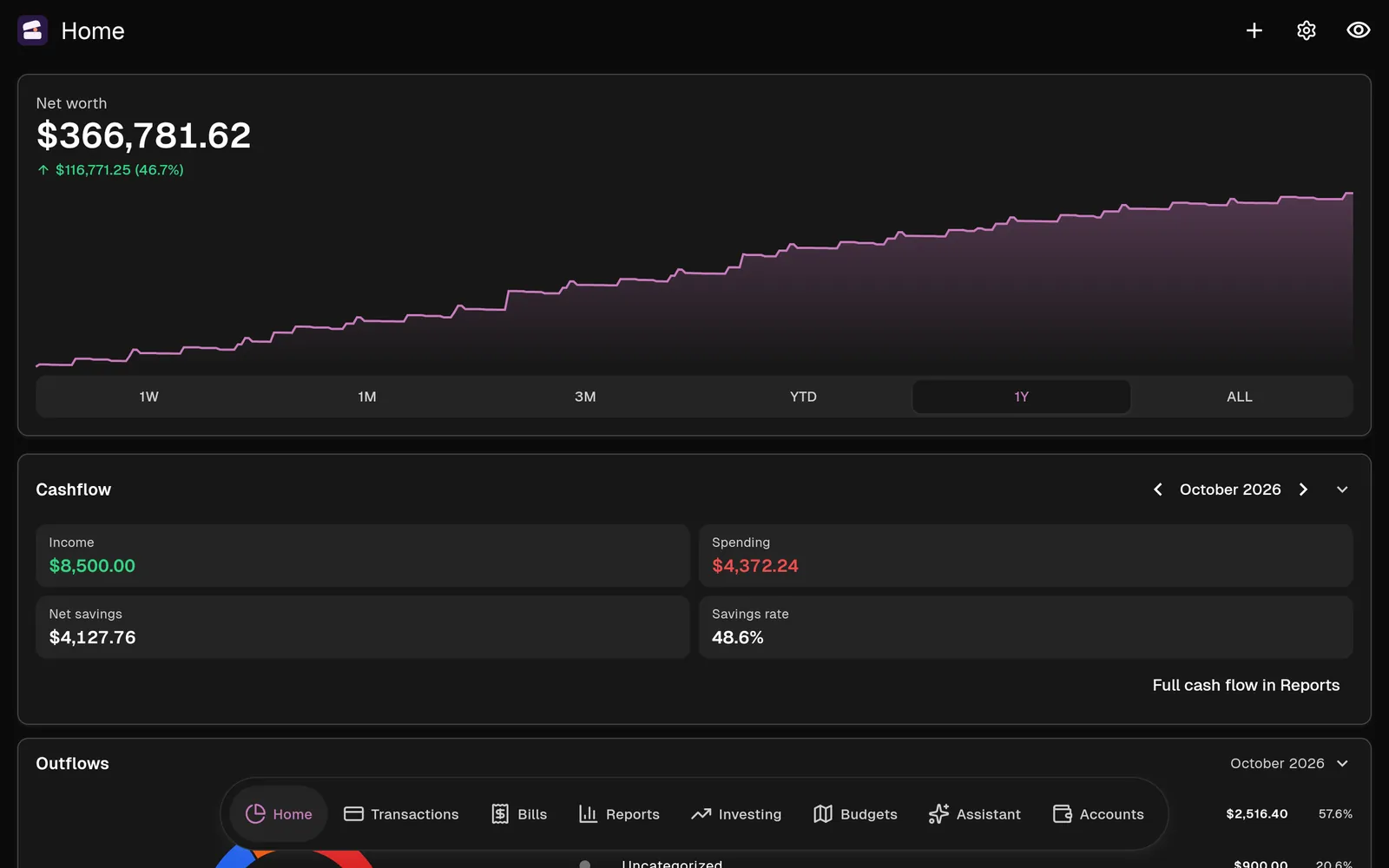
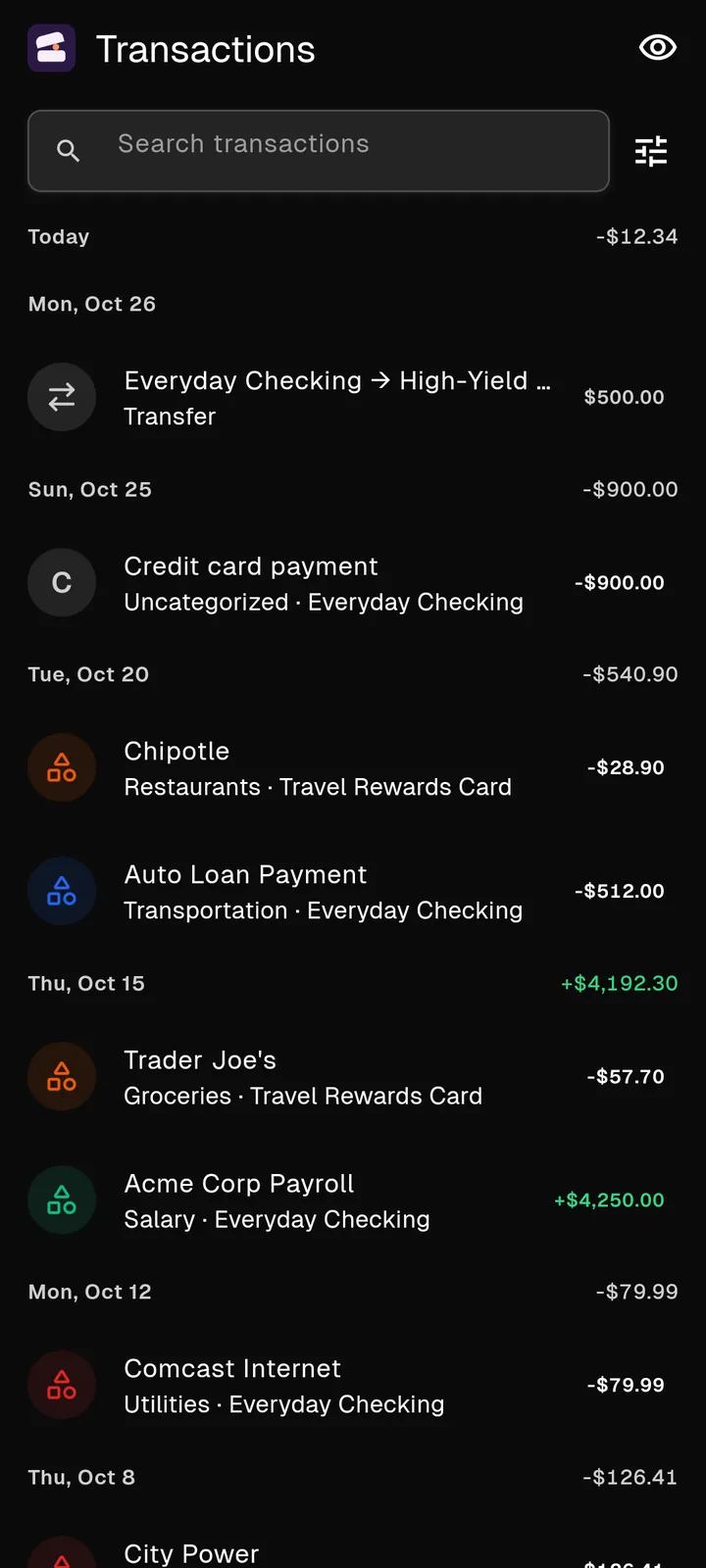
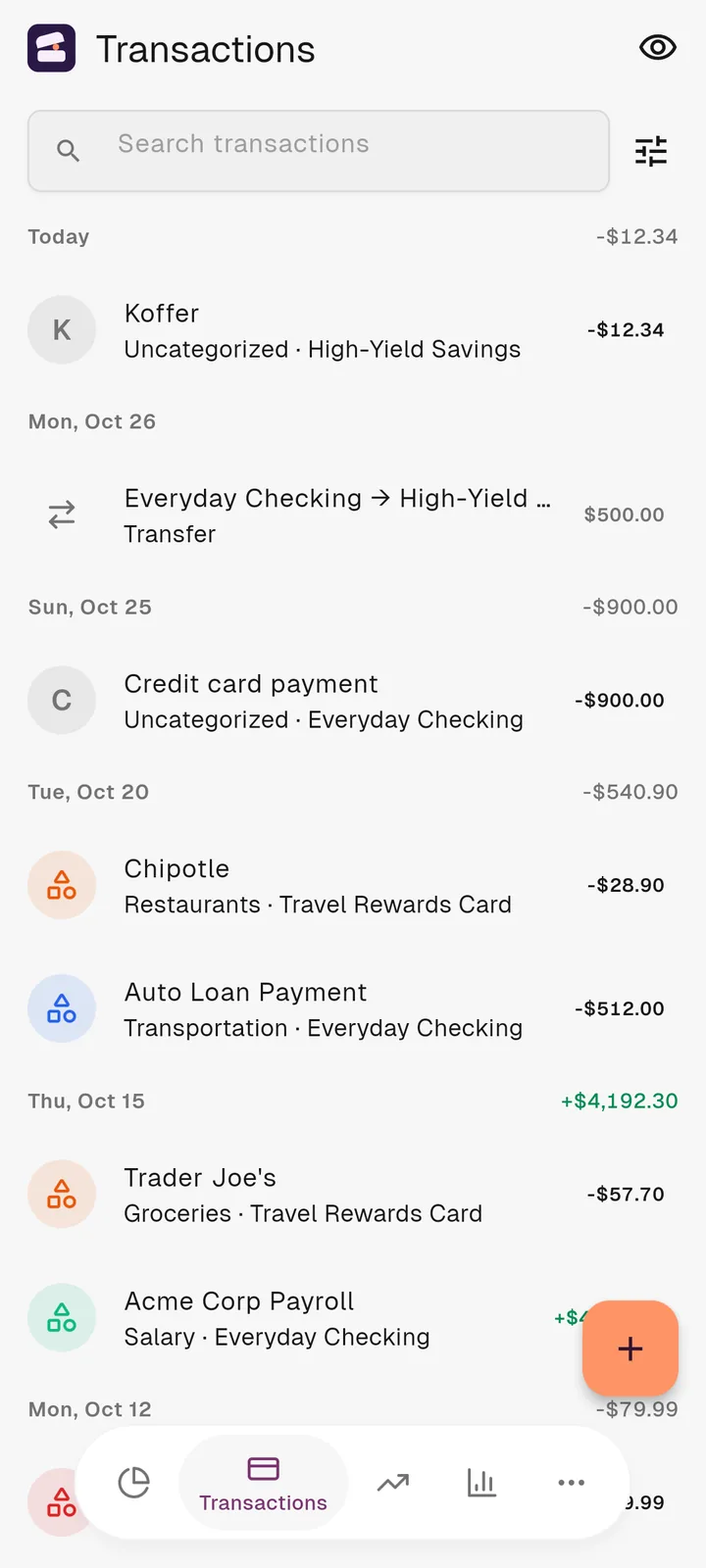
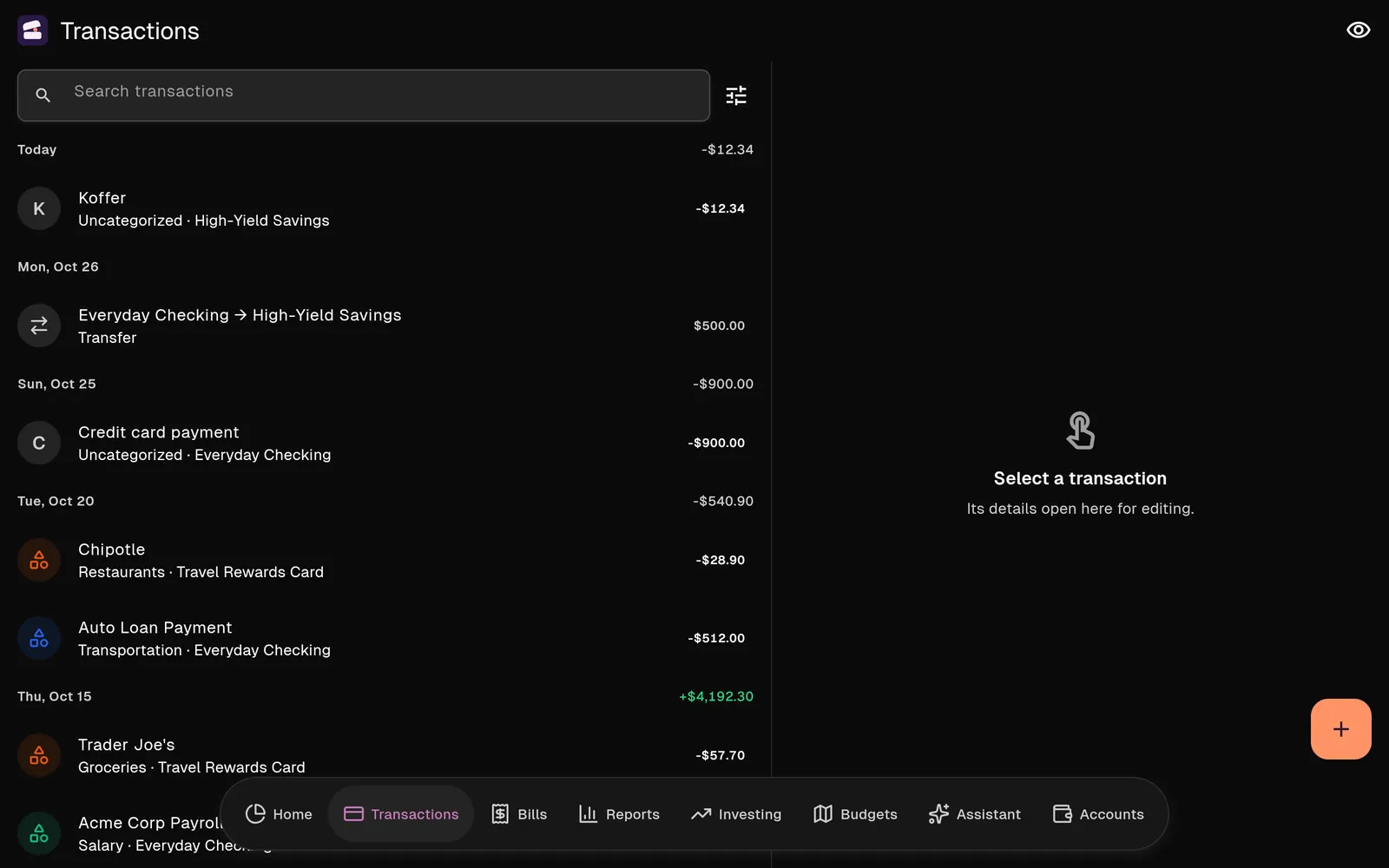
Every screenshot is the real app, filled with made-up demo data.
Your financial data and its backups are encrypted.
There is no public sign-up. An account starts with an invitation.
Each family’s finances are kept apart from every other family’s.